
You are recording a vocal, the performance sounds good, and the input meter is moving as expected. Then the singer reaches a louder note, and the recording suddenly develops a harsh, distorted sound. Lowering the track fader afterwards does not remove it.
This is a common recording problem, and it often comes down to gain staging at the input stage. Gain staging is the process of managing signal levels as audio travels through a recording system. When recording a microphone, it starts with the signal entering the preamp and continues through the audio interface and digital audio workstation (DAW). Understanding this process helps you capture clean audio, maintain sufficient headroom and avoid unwanted distortion.
1. What Is Microphone Gain Staging?
A microphone converts acoustic energy into an electrical signal. This signal is often relatively low in level, so a microphone preamp amplifies it before it reaches the recording system.
Gain staging involves setting appropriate levels at each stage of this signal path. The objective is to maintain a usable signal without introducing distortion or unnecessarily increasing noise.
Consider a vocal recording. If the microphone signal is too low, you may need to increase the gain substantially at the preamp. If the signal is too high, the preamp or a later stage may overload.
Neither situation is ideal. A well-adjusted signal provides enough level for reliable recording while leaving room for variations in the performance.
It is important to distinguish gain from volume. Gain determines how much a signal is amplified at a particular stage, while a volume control or DAW fader usually adjusts the level at which that signal is monitored or played back.
2. Understanding Microphone Level, Line Level and Preamp Gain
Before adjusting your audio interface, understand the different signal levels involved in recording.
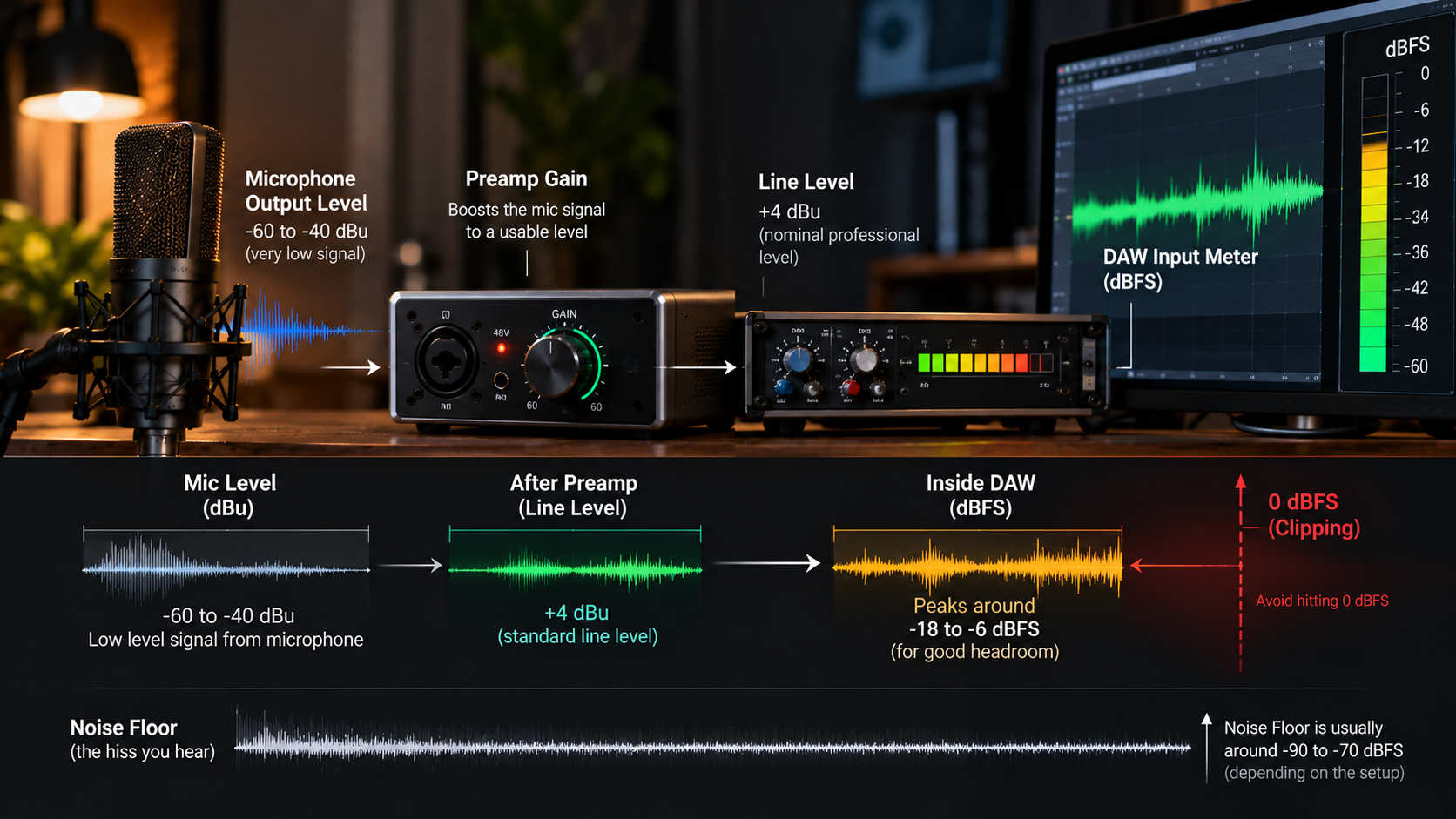
Microphone level is the relatively low-level signal produced by a microphone. Its exact level depends on the microphone's sensitivity, the sound source and the distance between them.
Line level is a higher signal level commonly used to connect equipment such as audio interfaces, preamps and other studio processors. Professional equipment commonly uses a nominal line level of +4 dBu, while consumer equipment often uses -10 dBV. These are different reference standards, not digital recording targets.
Preamp gain amplifies the microphone signal to a suitable level for the recording system. Most audio interfaces provide gain control for this purpose.
When recording a microphone, connect it to the appropriate microphone input rather than a line input unless your equipment's routing specifically requires otherwise. The distinction matters because the signal must be amplified appropriately before conversion. A correctly configured signal path helps avoid excessive noise, distortion and unnecessary level adjustments later.
3. What Is dBFS, and Why Does It Matter?
Digital audio levels are commonly measured in dBFS, or decibels relative to full scale. In a digital recording system, 0 dBFS represents the maximum representable level. A signal that exceeds this limit during conversion clips, producing distortion. Unlike an analogue system, where some equipment can tolerate levels beyond its nominal operating range, a conventional digital input cannot represent values above full scale. For this reason, recording engineers leave headroom between the loudest signal peaks and 0 dBFS. For a typical 24-bit recording, vocal peaks around -12 to -6 dBFS can provide a useful starting point. This is a guideline rather than a mandatory target. A clean recording with lower peaks can still be perfectly usable. The objective is not to record as close to 0 dBFS as possible. It is to capture the performance cleanly while allowing enough space for unexpected increases in level.
4. How to Set Microphone Gain Correctly
Setting the input gain should happen before recording the full performance. Follow this process during a vocal session.
- Connect the microphone to the audio interface and select the correct input in your DAW.
- Enable phantom power if the microphone requires it, following the manufacturer's instructions.
- Ask the vocalist to perform the loudest section of the song at the intended recording intensity.
- Adjust the preamp gain while watching the input meter.
- Leave sufficient headroom for peaks and confirm that the input does not clip.
- Record a short test take and listen for distortion, hiss or other unwanted noise.
Testing only a quiet verse can lead to problems when the vocalist reaches a powerful chorus. Gain should be set according to the loudest expected section, not the average level of a quiet passage.
If the performer moves significantly closer to the microphone or changes vocal intensity during the session, check the levels again.
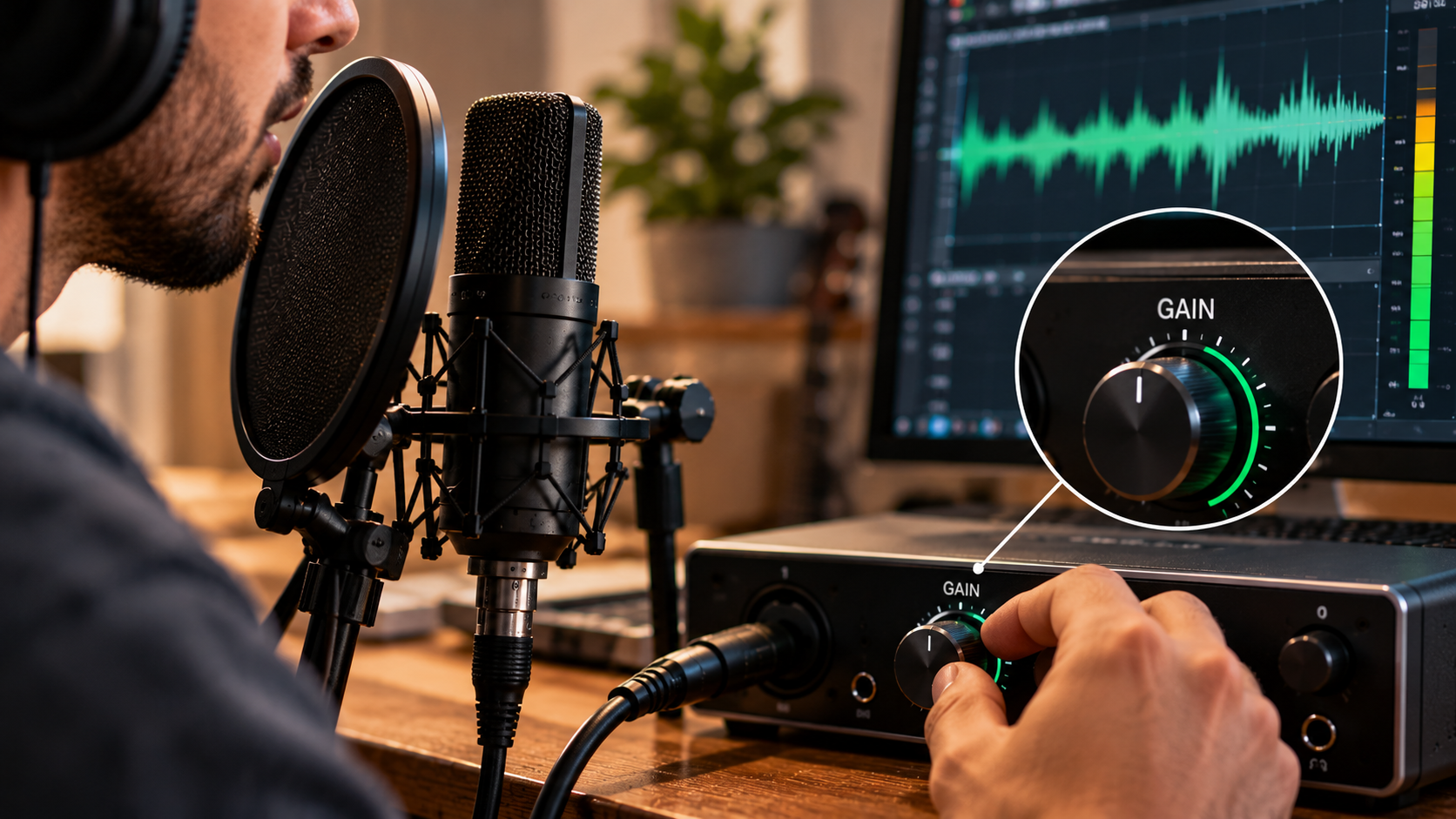
5. Why Lowering the DAW Fader Does Not Fix Clipping
One of the most common gain-staging mistakes is assuming that lowering a track fader will repair a distorted recording. Imagine that the microphone preamp sends a signal that exceeds the digital converter's maximum input level. The waveform is clipped during conversion, and the resulting distortion becomes part of the recorded audio. Lowering the DAW fader reduces the playback level of that already-clipped recording. It does not restore the waveform information that was lost. The same principle applies if clipping occurs earlier in the signal chain. A downstream volume adjustment cannot reliably reverse distortion introduced at an upstream stage. If you notice clipping while recording, reduce the input gain and capture the performance again. If the distortion is already present in a recorded take, specialised restoration tools may help in some cases, but the result is not guaranteed.
Preventing clipping at the source is considerably more reliable than trying to repair it later.
6. Gain Staging and the Noise Floor
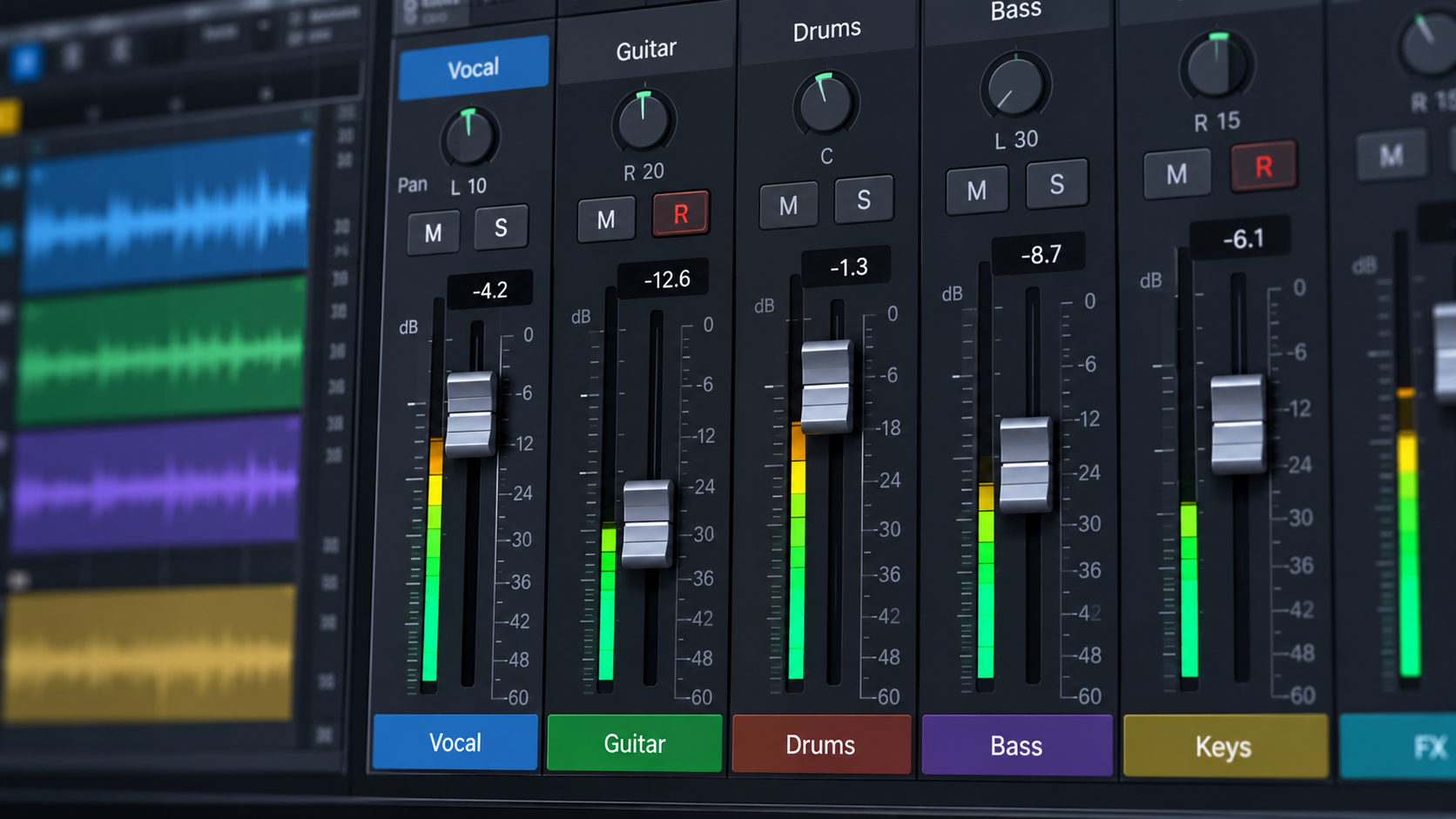
Recording levels also influence how background noise is managed. Every recording system has a noise floor, which includes noise from the microphone, preamp, surrounding environment and other components in the signal path. If the microphone signal is extremely low, increasing its level later can make the noise more noticeable. However, recording excessively hot is not the solution because it reduces headroom and increases the risk of clipping. With modern 24-bit digital recording systems, there is generally no need to push input levels close to 0 dBFS simply to obtain a clean recording. Instead, use an appropriate preamp gain setting, keep the microphone close enough to capture a healthy direct signal when suitable, and reduce unwanted background noise in the recording environment. This approach helps maintain a practical balance between signal level, noise and available headroom.
7. Gain Staging Inside the DAW
Gain staging does not end when the audio reaches the DAW. The recorded signal may pass through plugins, buses and the master output, and each stage can affect the level. For example, an equaliser that applies substantial boosts can increase the level entering a compressor. If that level becomes excessive, the compressor may respond differently than expected.
Similarly, some analogue-modelled plugins respond to input level, meaning that driving them harder can change their tonal character or distortion characteristics.
To manage levels within a session:
- Keep an eye on plugin input and output meters.
- Check whether EQ boosts are increasing the signal substantially.
- Avoid unintentionally overloading plugins that are not designed for that behaviour.
- Monitor the master output for clipping.
- Adjust levels intentionally rather than relying on a single master fader to correct every problem.
There is no universal digital level that every track must reach. The important consideration is whether each stage is operating as intended and whether the signal remains clean.
Microphone gain staging is about controlling signal levels throughout the recording process. Understanding preamp gain, dBFS, headroom and the difference between input gain and playback volume helps prevent clipping and makes recording sessions more reliable. For aspiring sound engineers and music producers, these principles form an important foundation for recording, editing and mixing. Exploring sound engineering and music production at TAG Mumbai can help you develop a deeper understanding of audio signal flow and practical recording techniques.